
Change my password
Follow these steps to change your password for the Administration Centre.
- Navigate to the Administration Centre login page by visiting www.yourdomain.com/Admin, replacing yourdomain.com with your website address. Login to the Administration Centre (see this page if you require help logging in).
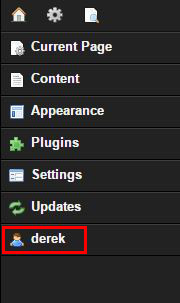
- Click on your username displayed at the bottom of the Administration Centre menu.
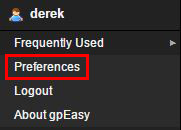
- Click the Preferences menu item
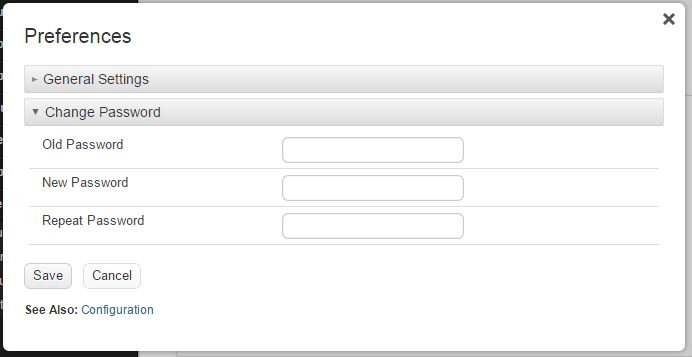
- Enter your current password, then your new password twice for confirmation. Click Save when you're ready.
Follow these guidelines when creating a new password:- use at least 8 characters
- include a mixture of letters (upper and lowercase), numbers and symbols

